
Settings
The Settings panel is accessible from the gear icon at the bottom of the sidebar. It covers binary configuration, execution defaults, version information, and citation details.
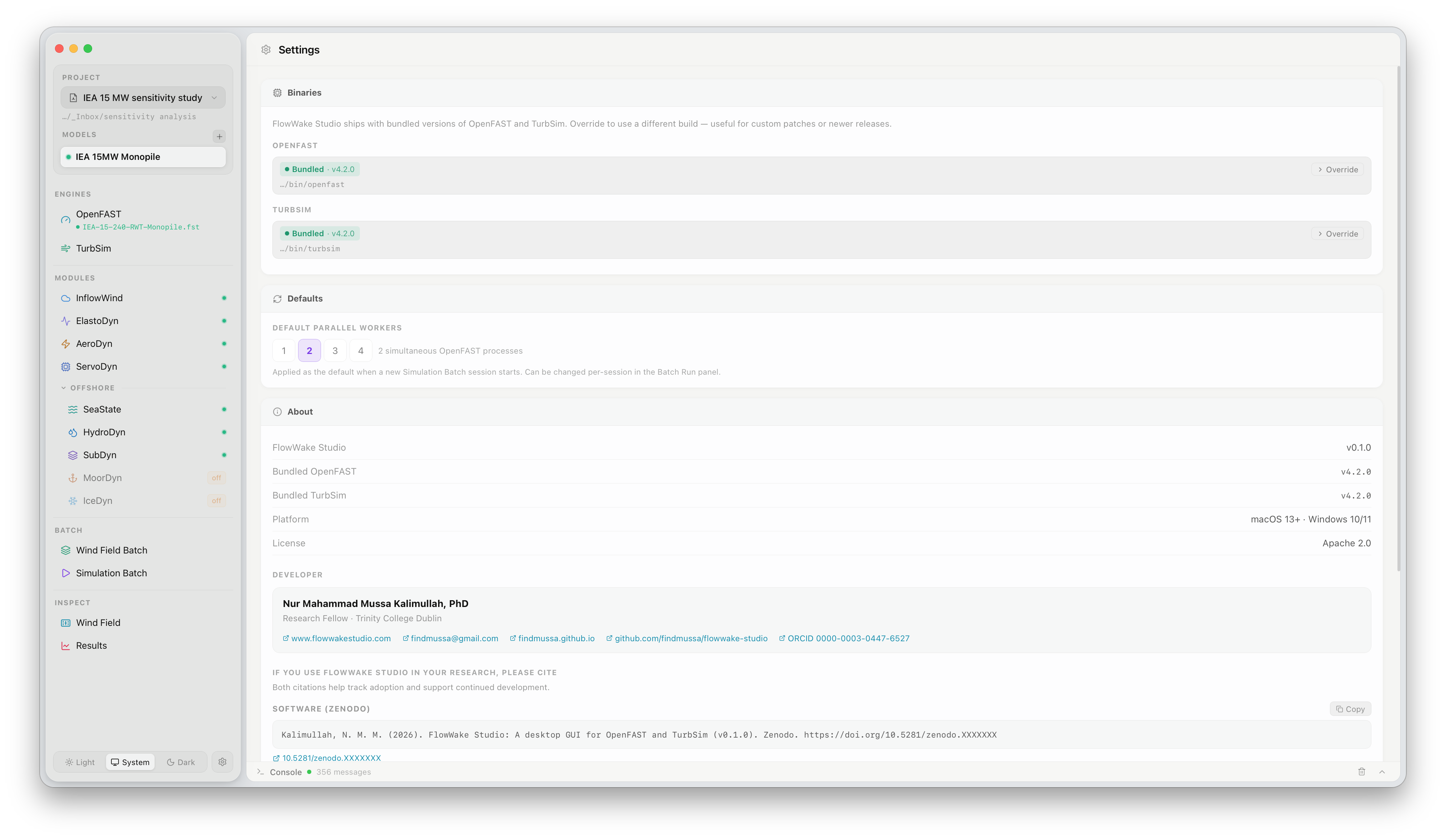
Binaries
Section titled “Binaries”FlowUrja Studio ships with bundled versions of OpenFAST and TurbSim. The Binaries section shows the active binary for each engine and its path.
| Engine | Default |
|---|---|
| OpenFAST | Bundled v4.2.0 at ./bin/openfast |
| TurbSim | Bundled v4.2.0 at ./bin/turbsim |
Click Override next to either engine to point FlowUrja Studio to a different binary — useful for testing custom patches or newer releases before an official update ships. The override path is stored per-installation and persists across projects.
To revert to the bundled binary, clear the override path.
Defaults
Section titled “Defaults”Default parallel workers sets the number of simultaneous simulation processes pre-selected when a new Simulation Batch session opens. The value can still be changed per-session in the Batch Run panel. The default is 2; the optimal value depends on available CPU cores and per-simulation RAM.
| Field | Description |
|---|---|
| FlowUrja Studio | Application version |
| Bundled OpenFAST | Version of the OpenFAST binary shipped with this release |
| Bundled TurbSim | Version of the TurbSim binary shipped with this release |
| Platform | Supported operating systems |
| License | Apache 2.0 |
Developer
Section titled “Developer”Contact and profile information for the lead developer, including links to the project website, GitHub repository, and ORCID profile.
Citation
Section titled “Citation”If you use FlowUrja Studio in your research, please cite both the software and the accompanying paper. The Settings panel shows the Zenodo software citation with a Copy button. For the full citation including the journal paper, see the Citation reference page.