
ElastoDyn
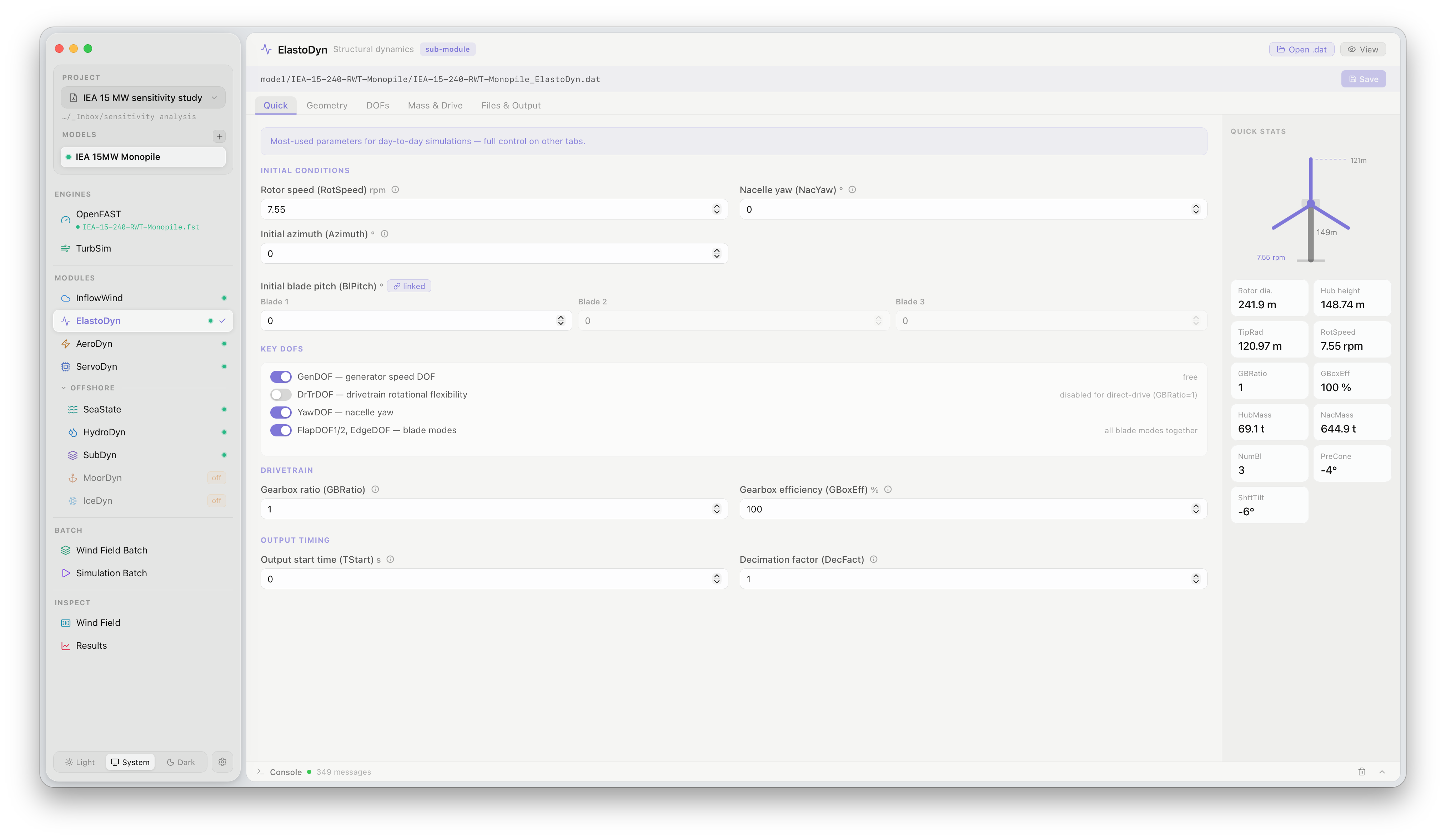
The ElastoDyn panel provides access to the structural dynamics settings for the tower, blades, and drivetrain. Click ElastoDyn under MODULES in the sidebar to open it.
What this panel controls
Section titled “What this panel controls”ElastoDyn models the flexible-body dynamics of the turbine structure. The panel exposes the degrees-of-freedom (DOF) switches and key structural parameters:
| Setting | Description |
|---|---|
| DOF switches | Enable or disable individual structural DOFs — blade flapwise/edgewise bending, tower fore-aft/side-side bending, drivetrain torsion, platform motion |
| Rotor speed | Initial rotor speed at simulation start (rpm) |
| Blade pitch | Initial collective pitch angle (°) |
| Nacelle yaw | Initial nacelle yaw position (°) |
Disabling DOFs that are not relevant to the load case (e.g. platform DOFs for a land-based turbine) reduces simulation time without affecting accuracy for the components of interest.
Structural property tables (blade and tower distributed properties) are loaded from the model files. They can be viewed in this panel but require editing the source files directly for changes.
Official documentation
Section titled “Official documentation”For a full description of all ElastoDyn parameters, see the OpenFAST ElastoDyn User’s Guide.