
MoorDyn
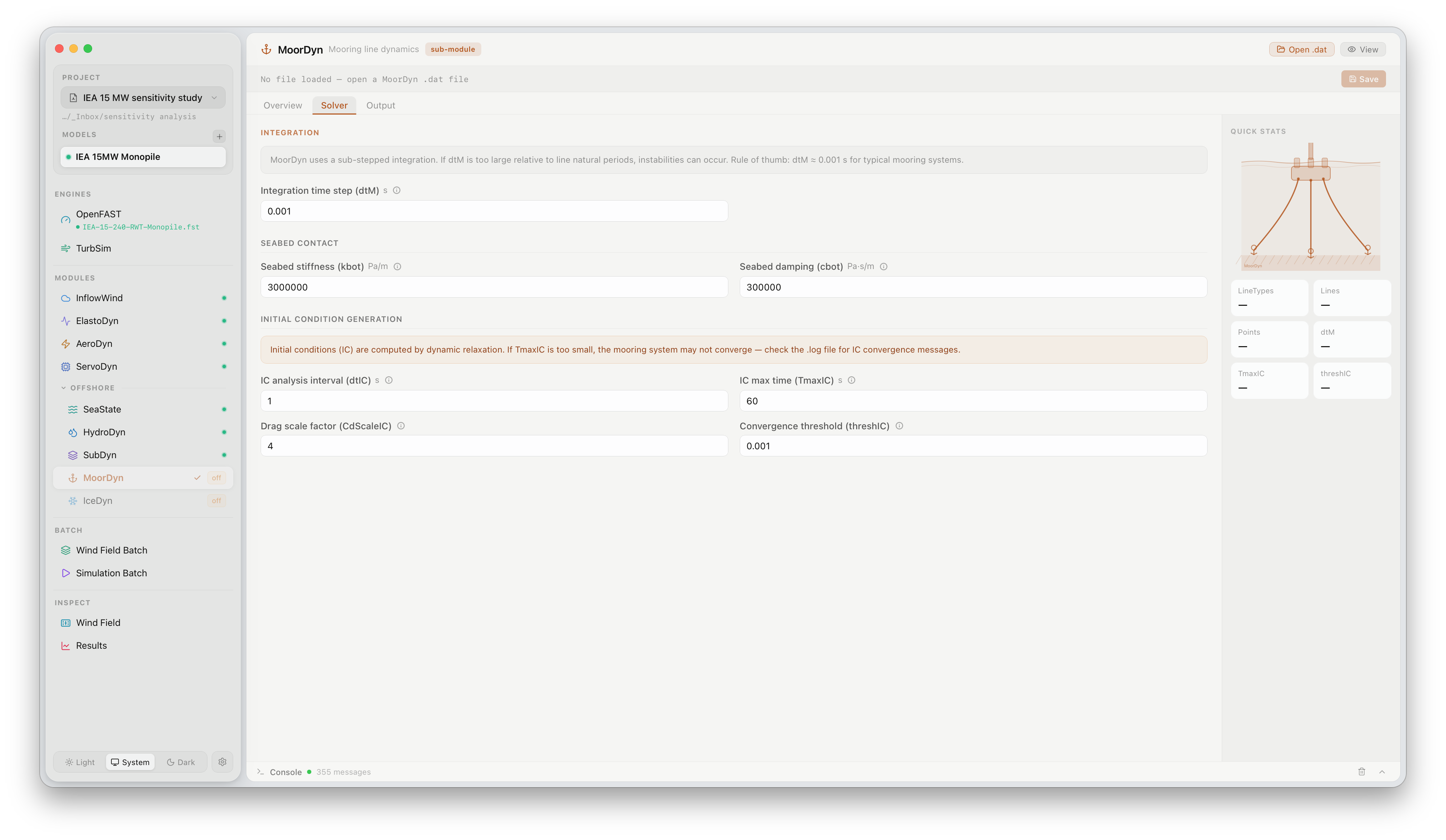
The MoorDyn panel configures the mooring line dynamics model for floating offshore turbines. Click MoorDyn under OFFSHORE in the sidebar to open it. MoorDyn is a sub-module and is only active when CompMooring = 3 in the primary .fst file.
What this panel controls
Section titled “What this panel controls”MoorDyn models the quasi-static or dynamic response of mooring lines using a lumped-mass approach. The panel is organised into three tabs: Overview, Solver, and Output.
Solver settings
Section titled “Solver settings”| Setting | Description |
|---|---|
dtM | Integration time step for mooring dynamics (s). Rule of thumb: dtM ≤ 0.001 s for typical mooring systems. Values too large relative to line natural periods cause instabilities |
kbot | Seabed contact stiffness (N/m per unit area). Controls the restoring force when a mooring line touches the seabed |
cbot | Seabed contact damping coefficient (N·s/m per unit area) |
Initial condition generation
Section titled “Initial condition generation”MoorDyn uses dynamic relaxation to find the static equilibrium before the time-domain simulation begins.
| Setting | Description |
|---|---|
dtIC | Time step used during the IC analysis interval (s) |
TmaxIC | Maximum time allowed for IC convergence (s). If the mooring system has not converged within this time, the simulation proceeds with the current state — check the log for convergence warnings |
CdScaleIC | Drag scale factor applied during IC to damp transients. Typically 4–10 |
threshIC | Convergence threshold — IC analysis stops when line tensions change by less than this fraction between intervals |
The Quick Stats panel shows the number of line types, lines, and fairlead points once a .dat file is loaded.
Loading a MoorDyn file
Section titled “Loading a MoorDyn file”MoorDyn requires a separate .dat input file that defines line types, line geometry, and connection points. Click Open .dat in the panel header to browse to the file, or point the path field to an existing file in your model directory.
Official documentation
Section titled “Official documentation”For a full description of all MoorDyn parameters, see the OpenFAST MoorDyn User’s Guide.