
InflowWind
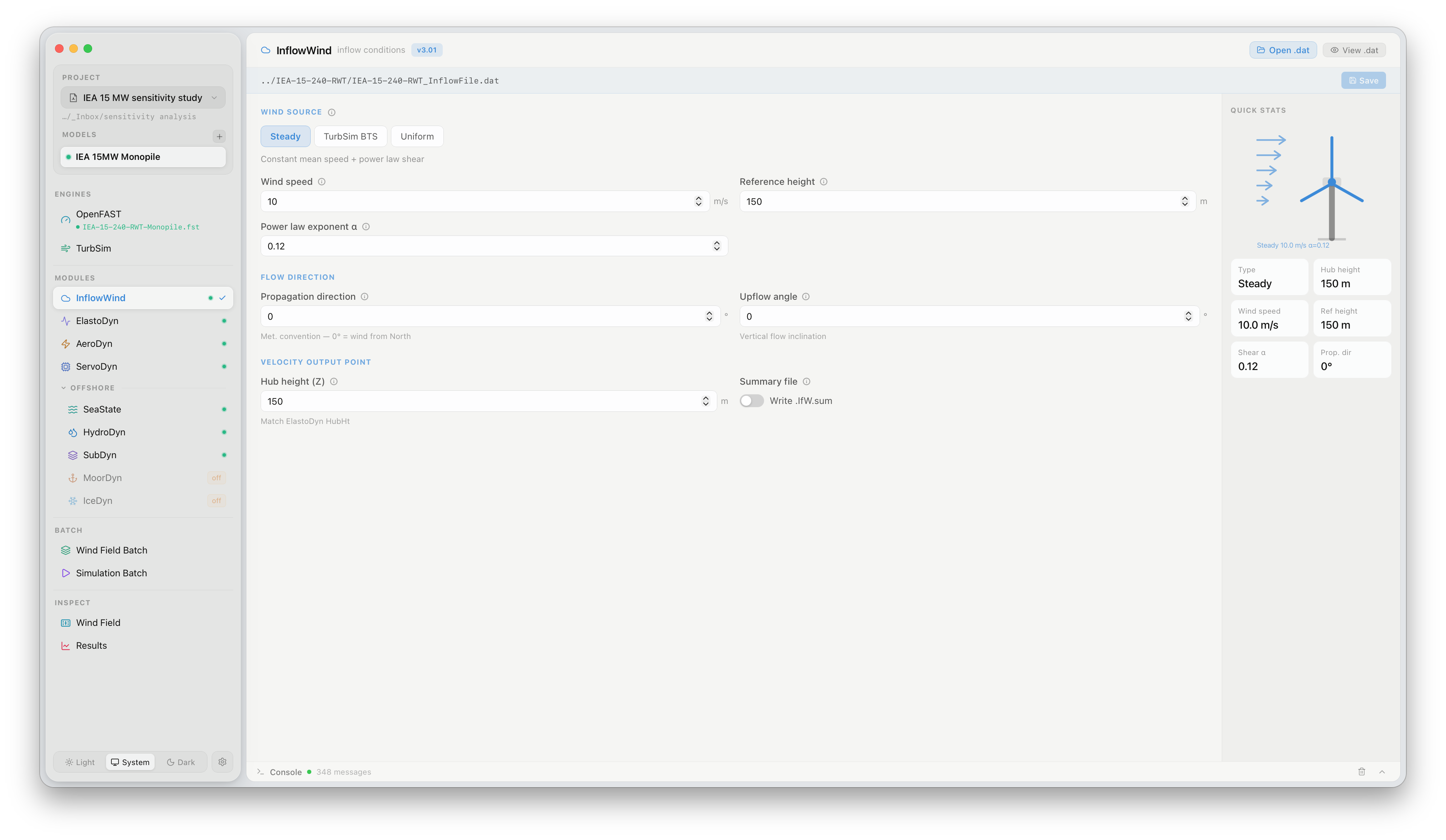
The InflowWind panel configures how OpenFAST reads and interpolates the wind input for each simulation. Click InflowWind under MODULES in the sidebar to open it.
What this panel controls
Section titled “What this panel controls”InflowWind defines the wind source and its spatial interpolation. The key setting is WindType, which determines what kind of wind input is used:
| WindType | Description |
|---|---|
| 1 — Uniform | Steady hub-height wind with optional shear and veer, defined by a single wind speed and direction. Suitable for steady-state power curve simulations |
| 2 — Binary TurbSim | Full-field turbulent wind from a .bts file generated by TurbSim. The standard input for fatigue and DLC analyses |
| 3 — User-defined | Other InflowWind-supported types (HAWC format, Mann turbulence, etc.) |
FlowUrja Studio automatically sets WindType = 2 and patches the correct .bts file path when running from a Wind Field Batch or Simulation Batch. For single simulations, the path displayed in this panel is the active wind field.
Key parameters
Section titled “Key parameters”| Parameter | Description |
|---|---|
WindType | Wind input source (set automatically by FlowUrja Studio for batch runs) |
PropagationDir | Wind propagation direction relative to the X axis (°) |
VFlowAng | Vertical inclination angle (°) |
RefHt | Reference height for wind speed input (hub height) |
Most parameters in this panel are set automatically from the project model and wind field configuration. Manual edits are preserved across runs.
Official documentation
Section titled “Official documentation”For a full description of all InflowWind parameters, see the OpenFAST InflowWind User’s Guide.