
HydroDyn
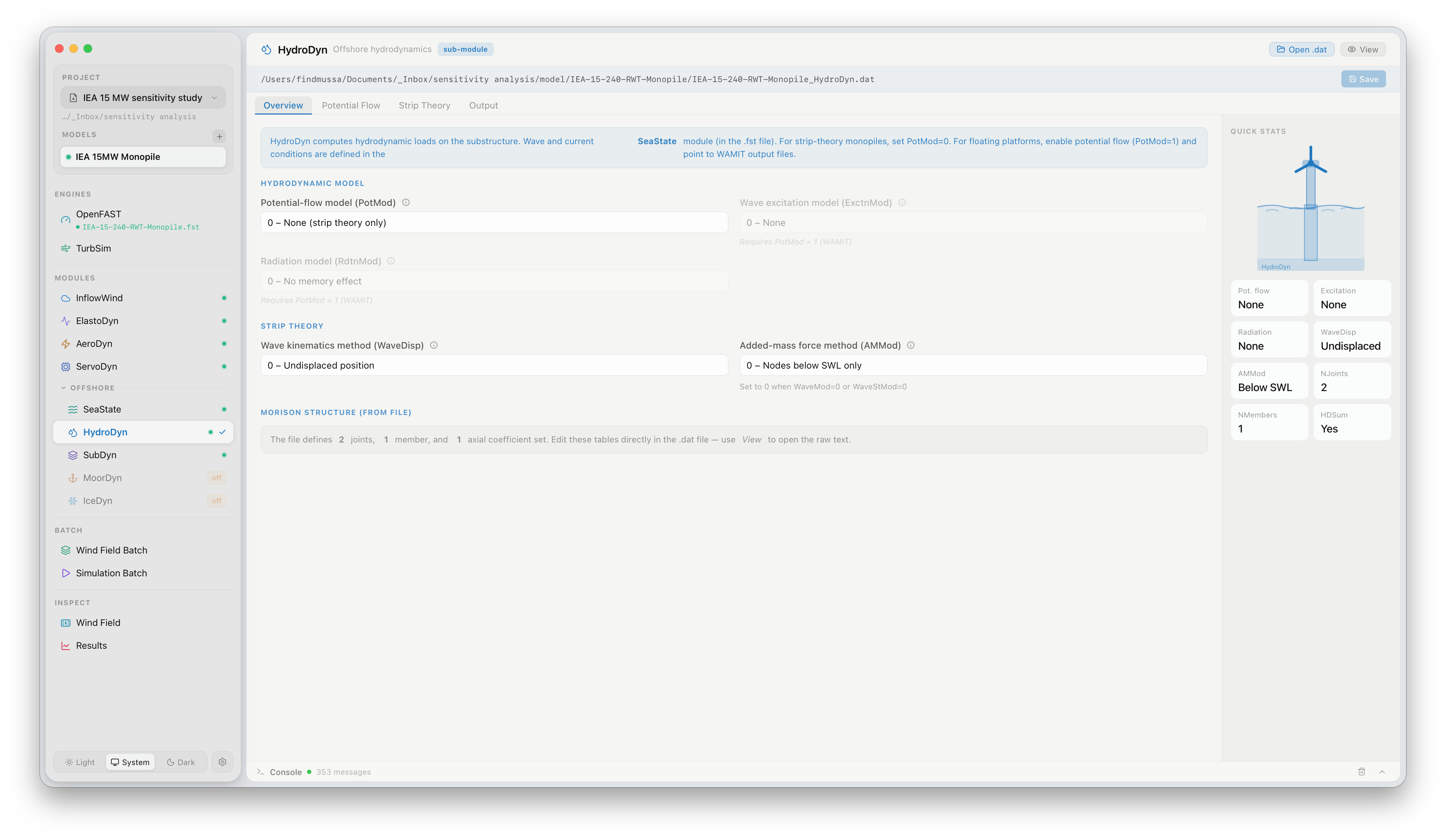
The HydroDyn panel configures hydrodynamic loads for offshore turbine simulations. Click HydroDyn under MODULES in the sidebar to open it. HydroDyn is only active when the project model includes an offshore substructure.
What this panel controls
Section titled “What this panel controls”HydroDyn computes wave and current loads on the substructure using Morison’s equation and/or a potential-flow diffraction model. The panel exposes the wave environment settings:
| Setting | Description |
|---|---|
| Wave model | No waves (0), irregular JONSWAP (2), or user-defined spectrum (5) |
| Significant wave height (Hs) | Characteristic wave height in metres |
| Peak spectral period (Tp) | Wave peak period in seconds |
| Wave direction | Predominant wave propagation direction relative to turbine X axis (°) |
| Current model | No current (0), sub-surface (1), or near-surface (2) current profile |
| Water depth | Site water depth in metres |
For land-based turbines, HydroDyn should be disabled in the .fst file (CompHydro = 0). FlowUrja Studio does this automatically when the active model is a land-based configuration.
Official documentation
Section titled “Official documentation”For a full description of all HydroDyn parameters, see the OpenFAST HydroDyn User’s Guide.