
SeaState
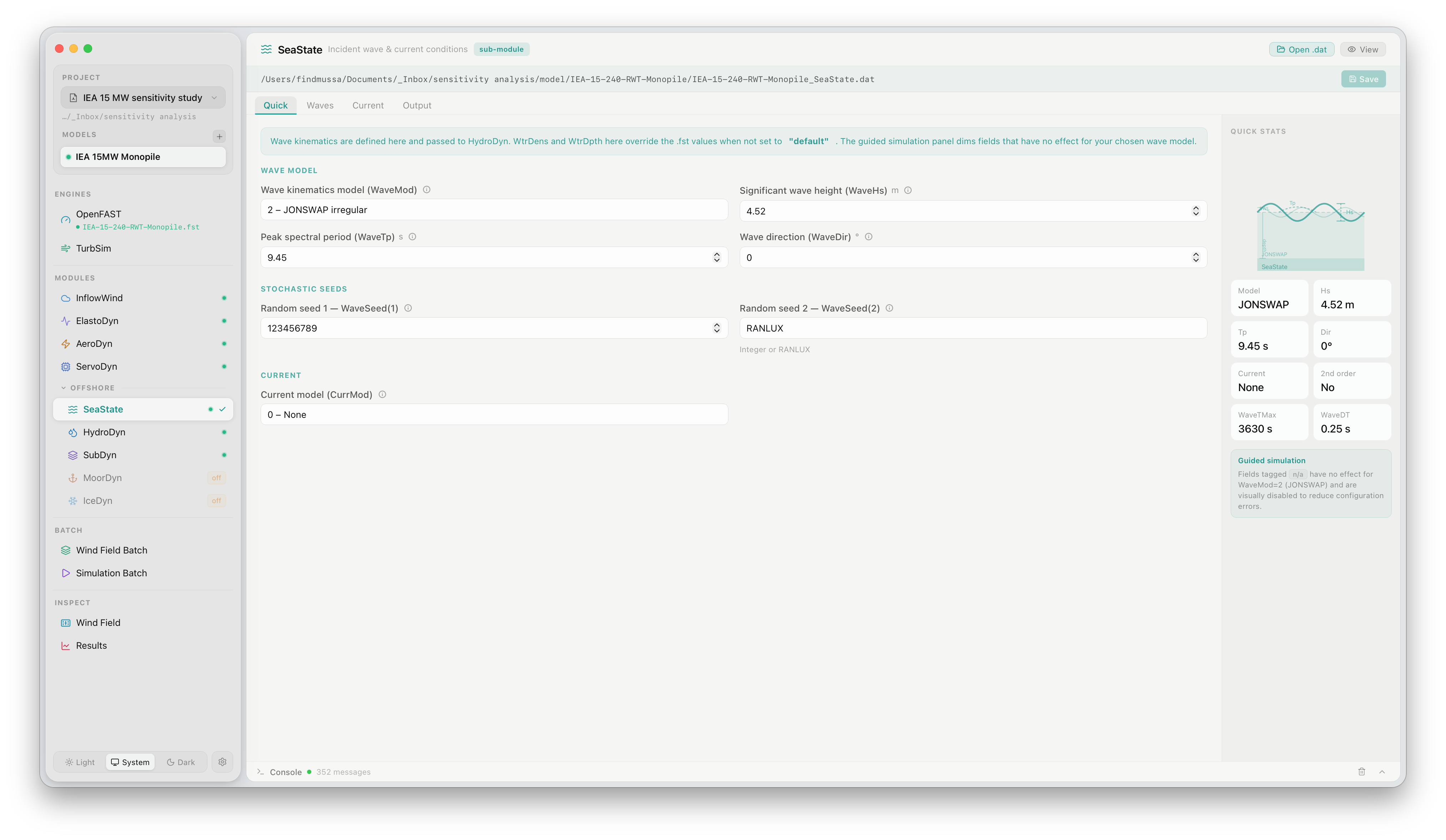
The SeaState panel configures the incident wave environment and ocean current conditions that drive hydrodynamic loads. Click SeaState under OFFSHORE in the sidebar to open it. SeaState is a sub-module of HydroDyn and is only active for offshore turbine models.
What this panel controls
Section titled “What this panel controls”SeaState defines the wave kinematics model and current profile. Its outputs are passed directly to HydroDyn. The panel is organised into four tabs: Quick, Waves, Current, and Output.
Wave model
Section titled “Wave model”| Setting | Description |
|---|---|
WaveMod | Wave kinematics model. 0 = no waves, 1 = regular AIRY, 2 = irregular JONSWAP, 3 = irregular JONSWAP with user-defined spectrum, 5 = external wave data |
WaveHs | Significant wave height in metres |
WaveTp | Peak spectral period in seconds |
WaveDir | Predominant wave propagation direction relative to the X axis (°) |
WaveSeed(1/2) | Random seeds for the stochastic wave realisation. Changing seeds gives statistically independent realisations at the same sea state |
Current
Section titled “Current”| Setting | Description |
|---|---|
CurrMod | Current model. 0 = none, 1 = sub-surface current profile, 2 = near-surface current |
The Quick Stats panel on the right summarises the active configuration — wave model, Hs, Tp, direction, current type, 2nd-order waves flag, simulation duration, and time step — at a glance without opening the full Waves tab.
Guided simulation hint
Section titled “Guided simulation hint”Fields that have no effect for the selected WaveMod are highlighted in the panel. For example, WaveHs and WaveTp are greyed out when WaveMod = 0 (no waves).
Official documentation
Section titled “Official documentation”For a full description of all SeaState parameters, see the OpenFAST HydroDyn / SeaState User’s Guide.