
SubDyn
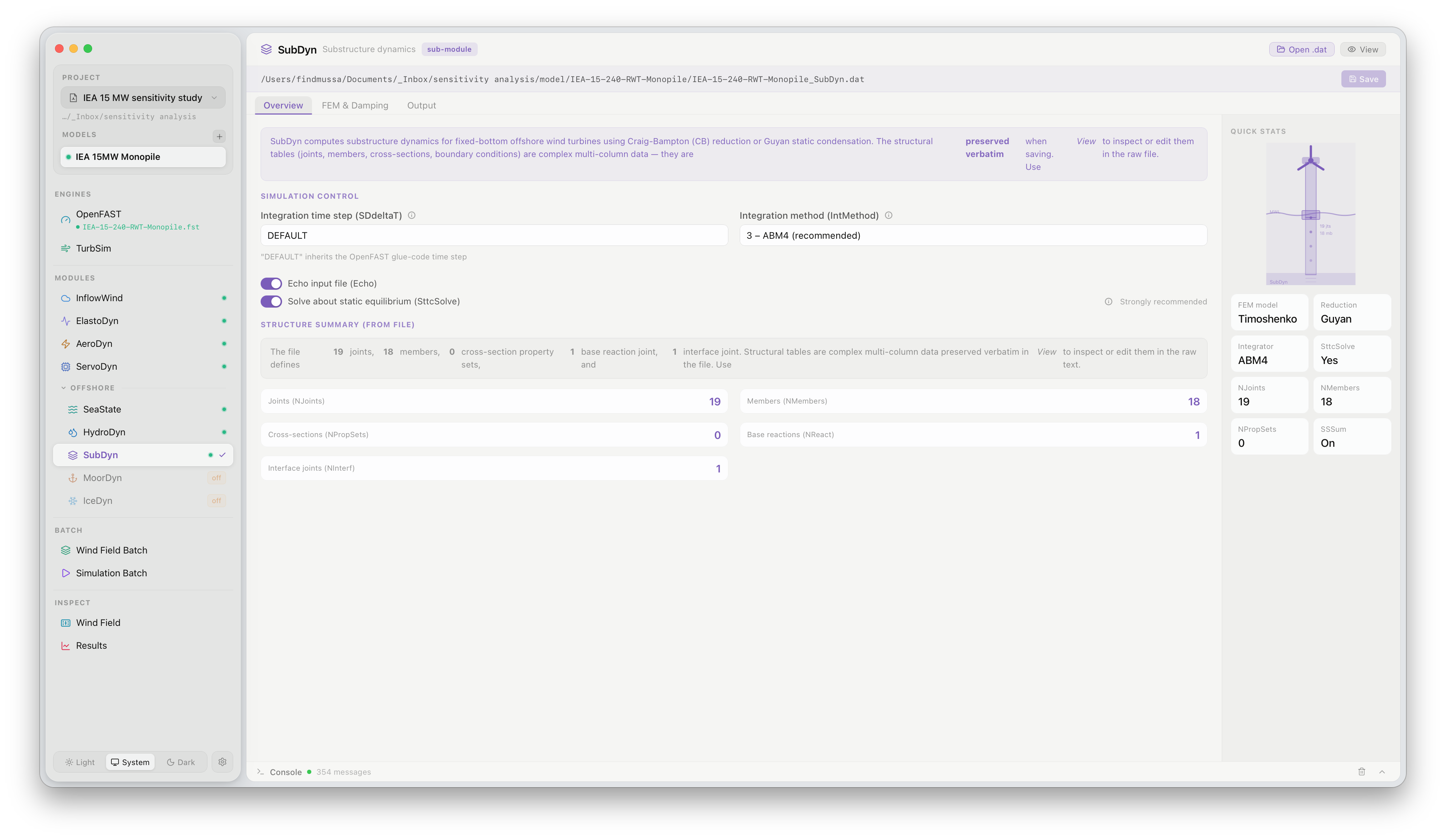
The SubDyn panel configures the flexible substructure model for offshore turbines. Click SubDyn under MODULES in the sidebar to open it. SubDyn is only active when the project model includes a jacket or monopile substructure.
What this panel controls
Section titled “What this panel controls”SubDyn models the dynamic response of the substructure (monopile, jacket, or other space-frame) using a Craig-Bampton reduced-order approach. The panel exposes the key reduction and output settings:
| Setting | Description |
|---|---|
| Craig-Bampton modes | Number of internal modes retained in the reduced model. More modes improve accuracy at higher frequencies at the cost of simulation time |
| Guyan reduction | Static condensation mode — fewer DOFs but no frequency response beyond the first few modes |
| Member outputs | Grid points along substructure members at which local forces and moments are recorded |
| Joint outputs | Interface and internal joints at which reactions are logged |
The substructure geometry (member connectivity, cross-section properties, material) is defined in the SubDyn input file and loaded from the model directory. FlowUrja Studio displays the member table but does not edit it directly.
For land-based turbines, SubDyn should be disabled in the .fst file (CompSub = 0). FlowUrja Studio does this automatically when the active model is a land-based configuration.
Official documentation
Section titled “Official documentation”For a full description of all SubDyn parameters, see the OpenFAST SubDyn User’s Guide.